One inventory, eight live channels.
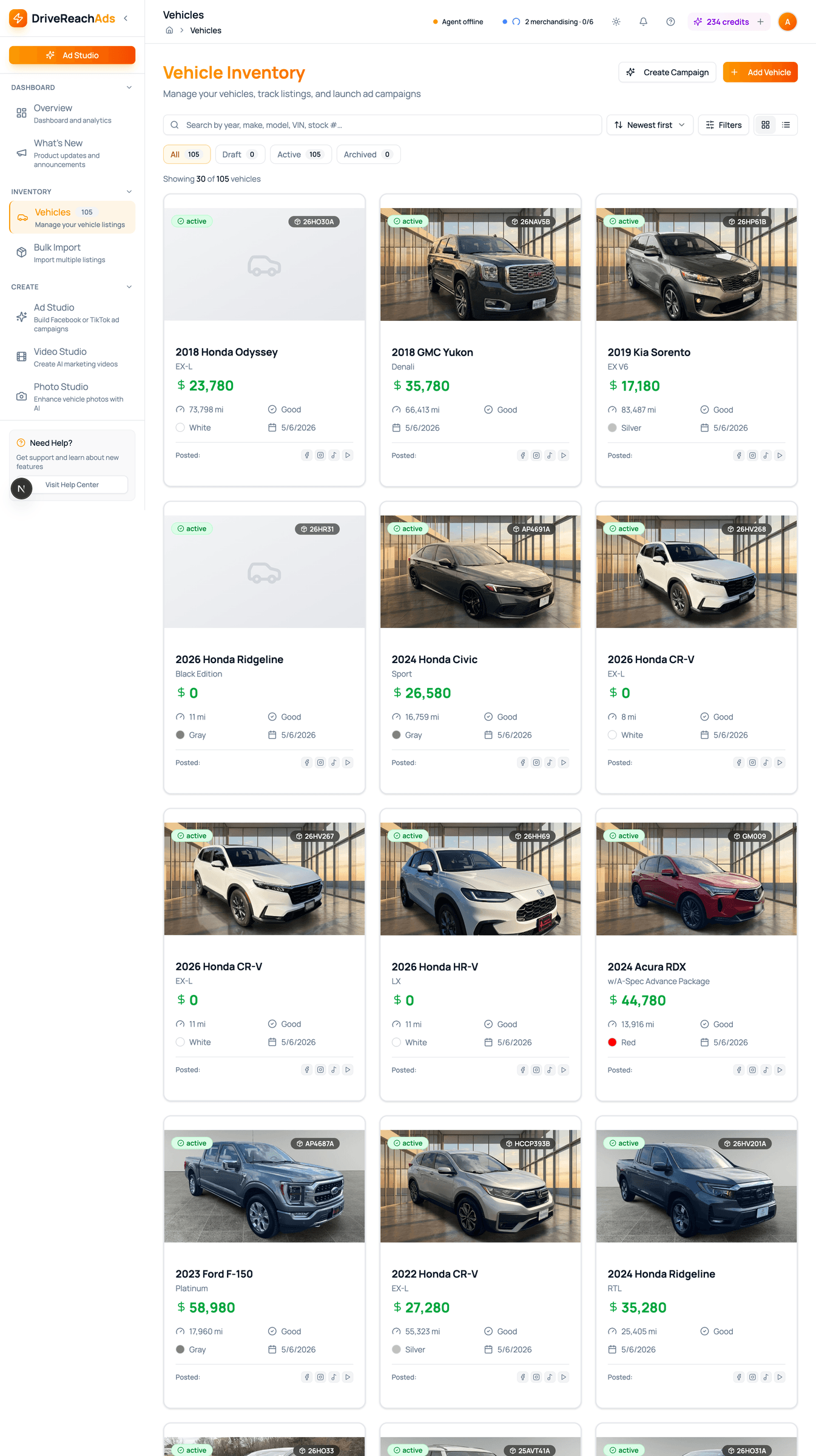
Vehicles and properties live in a single hub with VIN decoding, photo quality scoring, and CSV/Excel bulk import. Every change ripples out to your posts, ads, and lead forms automatically.
- Manages
- Vehicles and properties
- Import
- Your existing spreadsheet, plus VIN auto-fill
- Photos
- Quality-scored automatically
- Limit
- Unlimited
A vehicle record that powers every channel.
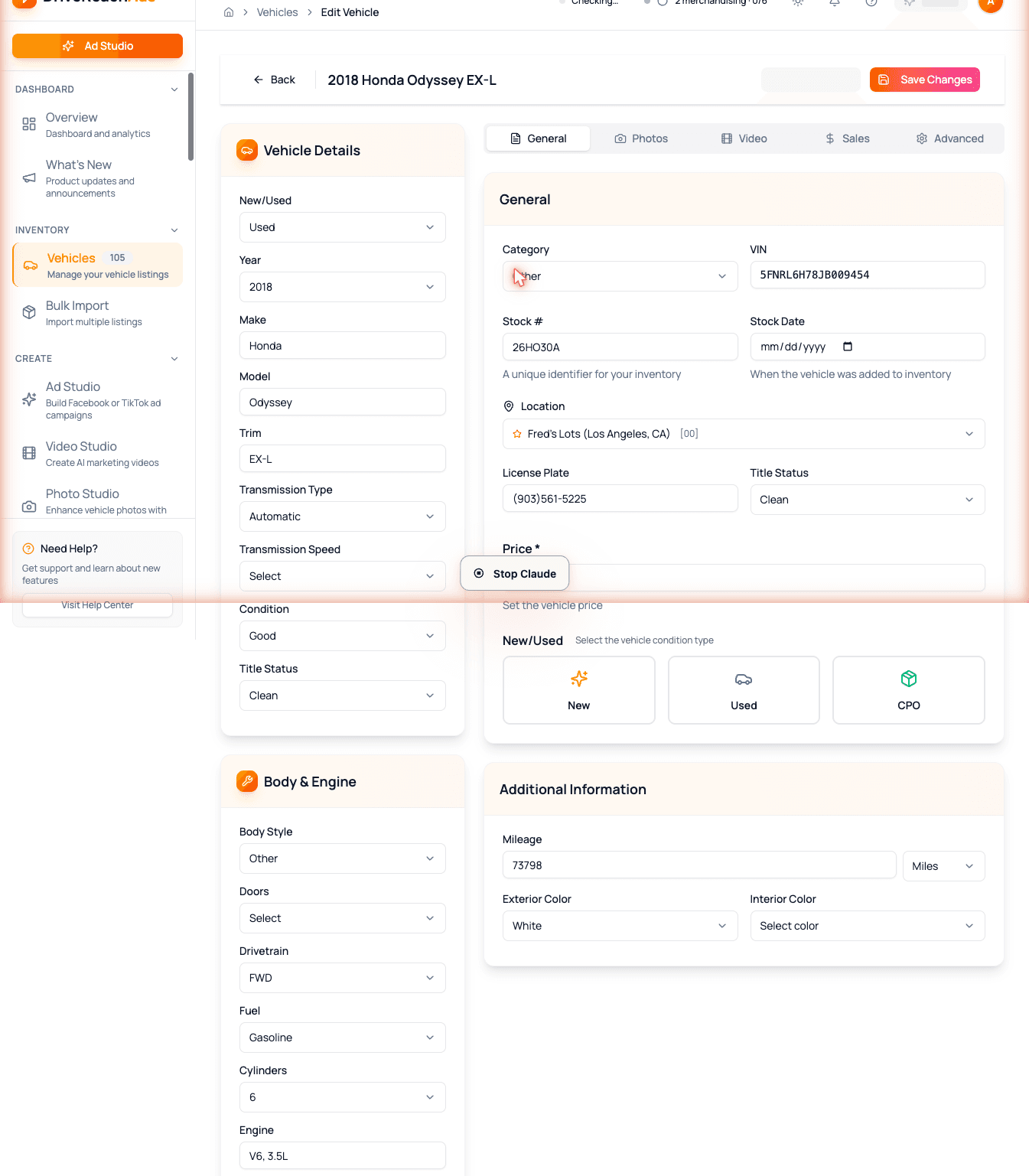
Add a vehicle once and it shows up everywhere — your social posts, ads, and Marketplace and Craigslist listings. Type the VIN and we fill in the make, model, year, trim, and stock specs for you.
- Add, edit, archive vehicles in one place
- VIN auto-fill saves the typing — make, model, year, trim, options
- Photo gallery with one click to set the primary shot
- Specs, pricing history, and status tracking built in
- VIN
- Auto-filled in seconds
- Limit
- Unlimited on every plan
Real estate listings on the same workflow.
For brokerages: manage properties the same way you manage vehicles. Bedrooms, bathrooms, square footage, photos, status — the same photo studio, video generation, and posting tools work for both.
- Bedrooms, bathrooms, square footage, and listing photos
- Active, pending, and sold status tracking
- Same AI photo and video tools as vehicle inventory
- Agent teams stay segmented inside one dealership account
- Status
- Live
- Limit
- Unlimited
Bring your spreadsheet — we will do the rest.
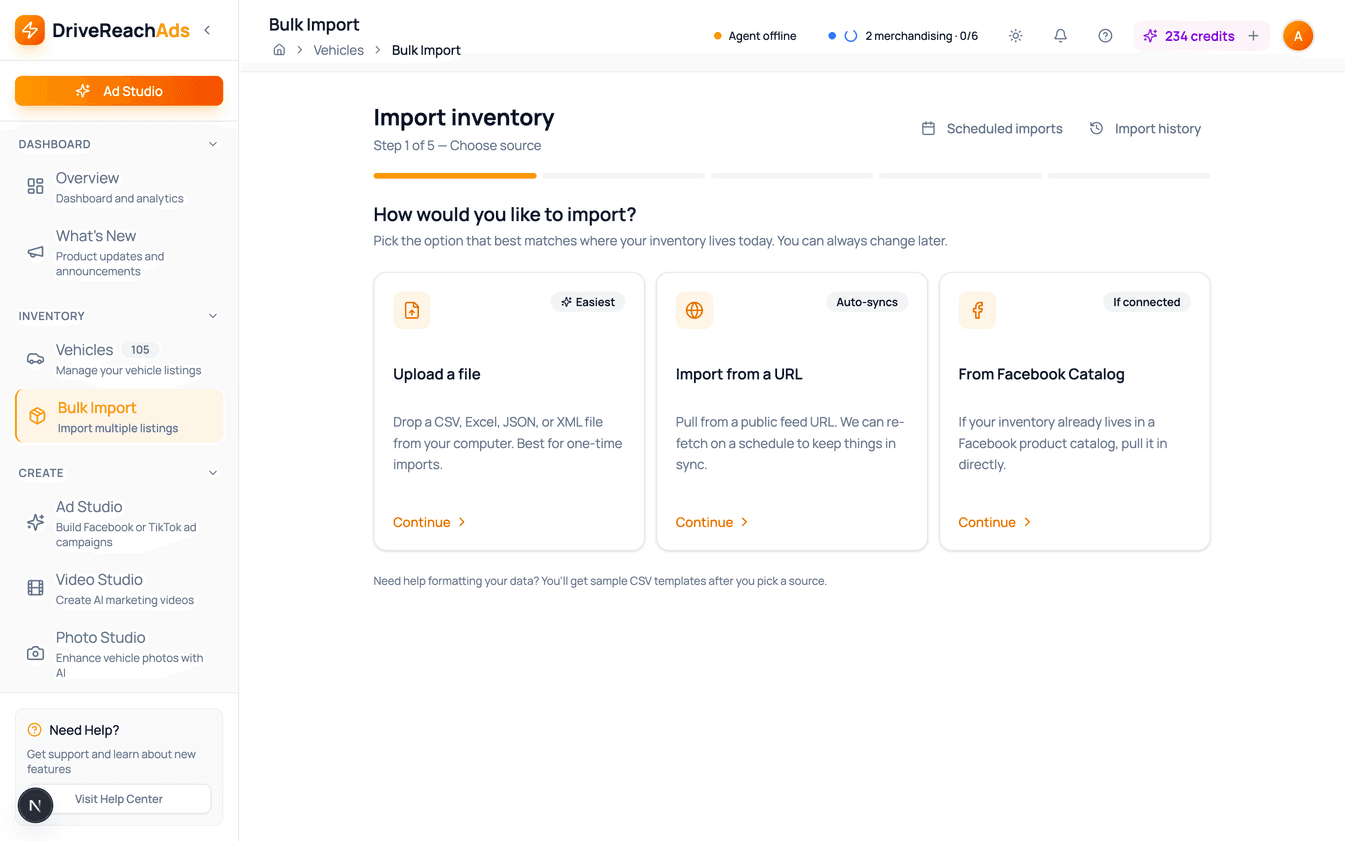
Drop in the spreadsheet you already use. We validate every row, fill in VINs automatically, and match up the photos. Errors are caught and shown before anything gets saved — so you don't end up with broken records.
- CSV and Excel files
- Row-by-row validation with clear error messages
- VINs filled in for you
- Photo URLs matched and previewed before commit
- Formats
- CSV · XLSX
- Limit
- No row cap
Know which photos are ad-ready before you spend.
Every photo in your inventory gets a quality score — framing, focus, lighting, composition. So you know which ones to reshoot, enhance, or replace before they go into an ad.
- Score out of 100 per photo
- Flags blurry, badly framed, or poorly lit shots
- Picks out hero photos versus utility shots
- One-click enhance for the low-scoring ones
- Cost
- Included
- Best for
- New arrivals and big inventory drops
Paste a VIN. Get a fully spec'd vehicle.
Type a 17-character VIN and we fill in the make, model, year, trim, engine, transmission, drivetrain, and factory options — pulled from the industry-standard vehicle database.
- Make, model, year, and trim auto-filled
- Options, packages, engine, and drivetrain detected
- Works on every add-vehicle and bulk-import path
- Falls back to manual entry if the VIN is incomplete
- Source
- Industry-standard VIN database
- Cost
- Free
Inventory questions
How do I get my inventory into DriveReachAds?
Add vehicles one at a time with VIN auto-fill, or bulk import the spreadsheet you already use (CSV or Excel). The import flow can also pull from a URL or a Facebook Catalog, and every row is validated before anything is saved.
What does VIN decoding fill in?
Enter a 17-character VIN and DriveReachAds fills in the year, make, model, trim, engine, transmission, drivetrain, and factory options. If a VIN is incomplete, you can finish the details manually.
Is there a limit on vehicles or listings?
No. Every plan includes unlimited vehicles and properties, and bulk import has no row cap.
Does the inventory hub handle real estate listings?
Yes. Properties live in the same hub with bedrooms, bathrooms, square footage, photos, and active, pending, or sold status, and they use the same photo, video, and posting tools as vehicles.
What happens when I update a vehicle?
The change carries across every connected channel — your posts, ads, and listings — because they all read from the same inventory record instead of separate copies.
Inventory in. Marketing out. No copy-pasting.
A vehicle added in DriveReachAds shows up everywhere — instantly. Update a price once, every channel updates with it.